This video is on its way. The page is here so the link you share will not change.
Owners and staff
0:37
Coming soon
How to run creator events and competitions
Creators missed the weekend sprint because nobody told them. Events puts it in the app, with standings everyone can see.
Send this link
Send by emailWhat the video shows
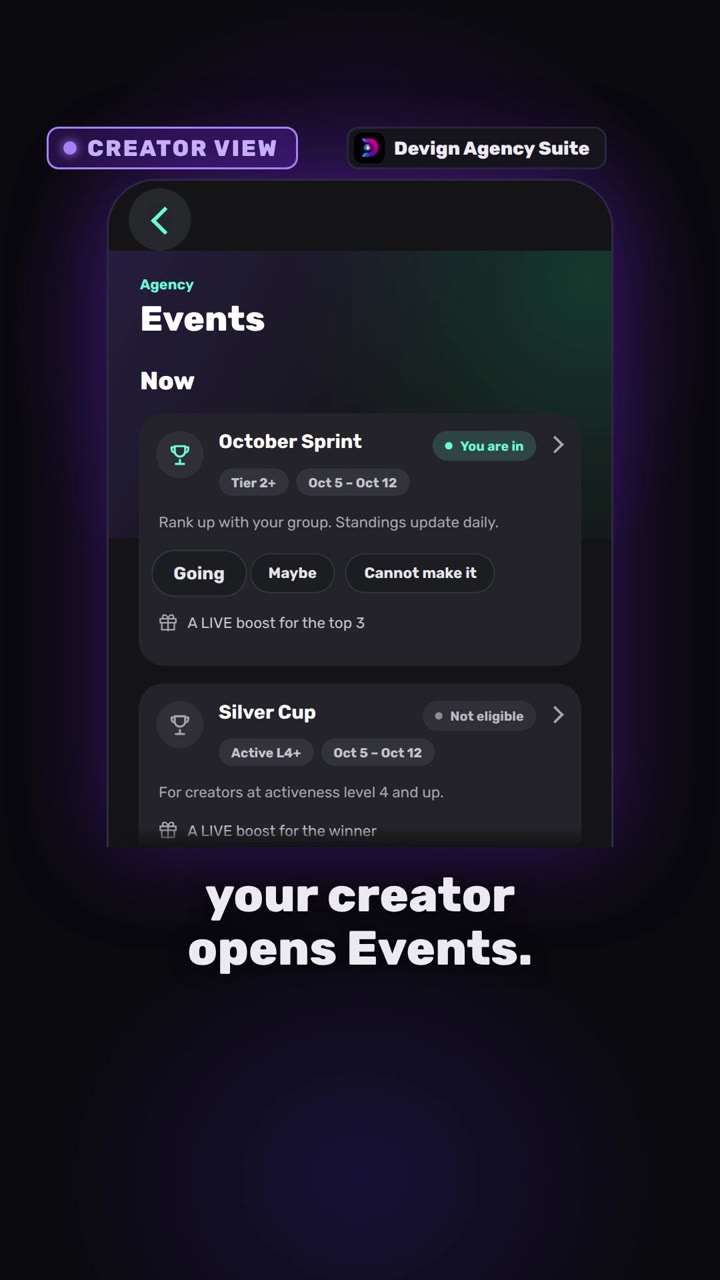
- The creator opens Events, taps Going, Maybe or Cannot make it, and follows the standings.
- Staff tap New event, add a prize and publish it to creators.
- Staff award the prize from the standings.
- Everyone sees where they stand.
Transcript
Wait, there was a race? Ended yesterday. No one told you?
In Devign Agency Suite, your creator opens Events. A race is running. They tap going and the card shows they are in. The standings rank everyone in the group and the creator sees their own place.
Now the agency side. Staff tap new event, name it and choose who can enter. Add a prize and publish. When the race ends, one tap awards the prize.
Everyone knows where they stand.
Events and competitions in one place.
Open your agency today.
Open your agency
Devign Agency Suite is on the App Store and Google Play.