This video is on its way. The page is here so the link you share will not change.
Creators
0:34
Coming soon
How creators check their diamonds, LIVE hours and level
Stop answering “how many diamonds do I have?” by chat. The creator opens the app and looks.
Send this link
Send by emailWhat the video shows
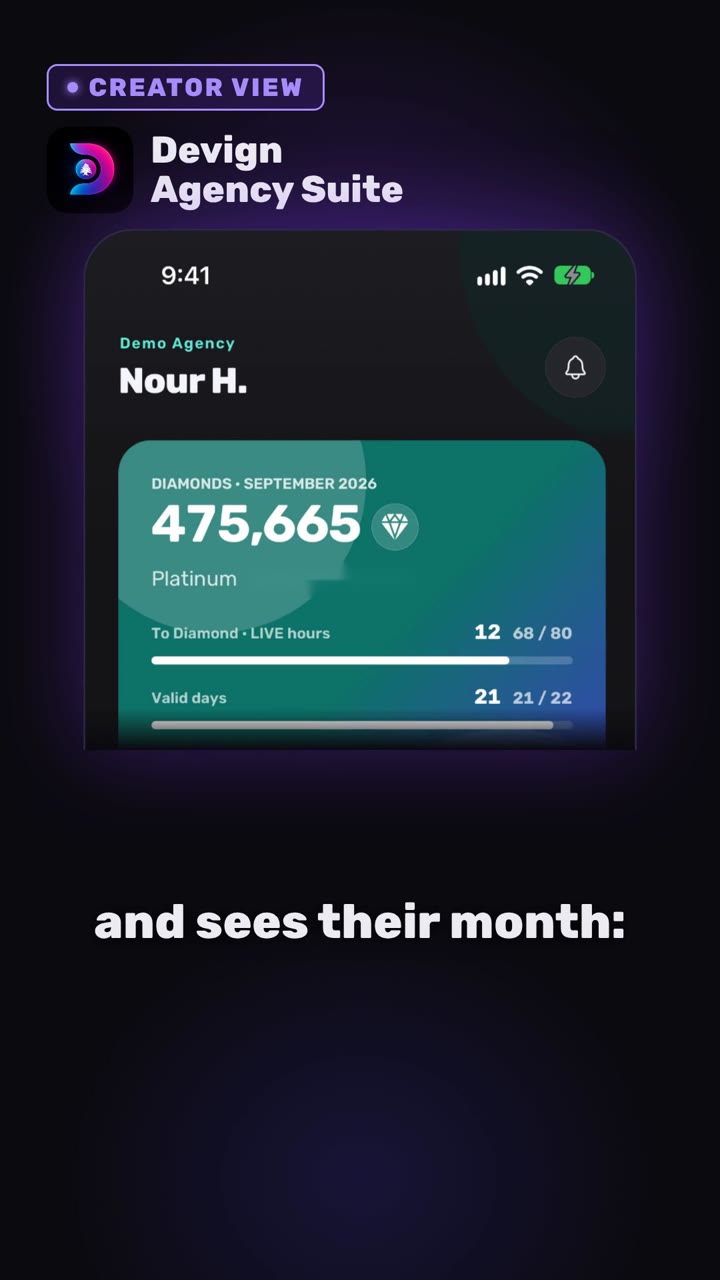
- The home screen: diamonds for the month, level, LIVE hours against the goal and valid days.
- The Levels screen: what is left to reach the next level.
- Figures from TikTok LIVE data, with an “up to date” marker.
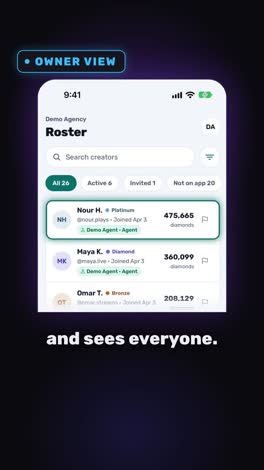
- The owner view: the same figures rolled up in the roster.
Transcript
Your creators shouldn't have to ask.
Now they can look.
In Devign Agency Suite, the creator opens the app and sees their month. Diamonds, valid days, LIVE hours against the goal, their level and what is left to reach the next one.
Figures refresh through the day straight from TikTok LIVE data.
Now the owner's side. The same figures roll up into the roster for every creator with no spreadsheet.
Fewer questions for you, more clarity for them.
Open your agency today.
Open your agency
Devign Agency Suite is on the App Store and Google Play.